Statuses: Keeping Your Plan Alive
A plan you never update is a wish. What keeps a JAM honest is a tiny daily habit: marking what happened. Jupiter makes that a ten-second job.
The five statuses
Section titled “The five statuses”Every Action carries a status, shown as the fill of its bar:
- Pending — not started yet. New Actions begin here.
- In Progress — underway.
- Completed — done.
- Cancelled — you decided not to do it. Cancelling instead of deleting keeps the record: months later, your map still shows what you chose against, not just what you did.
- Information — not work at all, but something worth having on the timeline: a reference, a date to remember, context for the work around it.
Each status has its own color, so a zoomed-out canvas reads at a glance: how much is done, what’s moving, what’s still waiting.
Setting a status
Section titled “Setting a status”The fast way: double-click an Action’s bar. A compact popover appears with the five statuses — the checkmark shows the current one — plus Change Duration. Click the new status and you’re done. Two clicks, total.
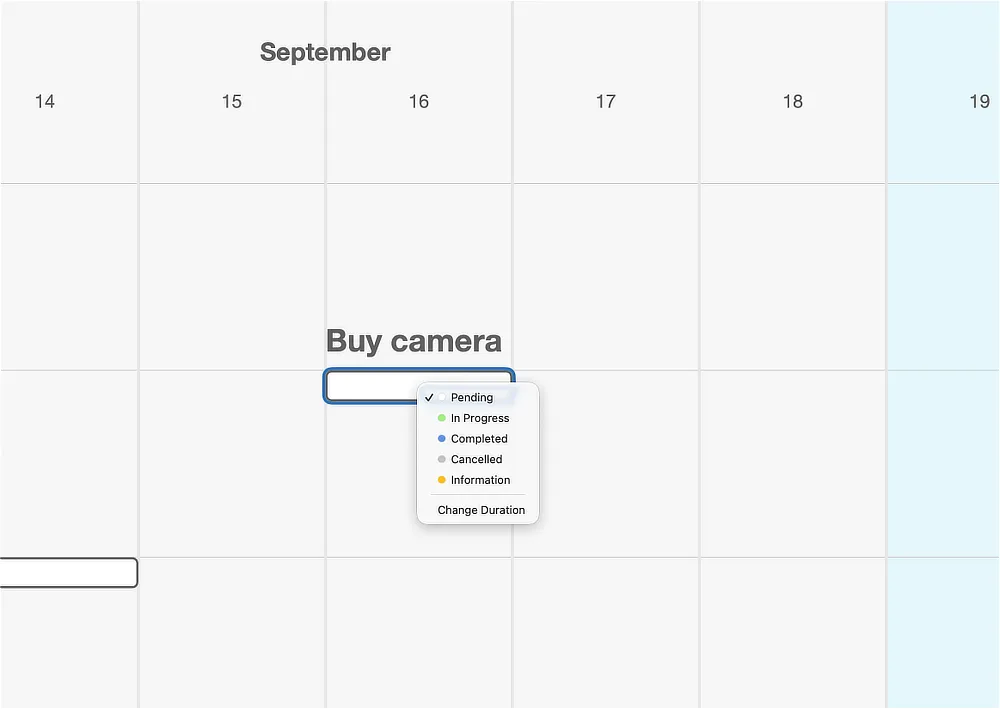
The same statuses also live at the top of an Action’s right-click menu, alongside the rest of its commands (Change Duration, Copy, Duplicate, Repeat…, Delete). Use whichever your hand reaches first; the double-click is there because status-setting is the thing you’ll do most.
From the keyboard, select an Action and press Cmd+1 for Pending, Cmd+2 In Progress, Cmd+3 Completed, Cmd+4 Cancelled, or Cmd+5 Information.
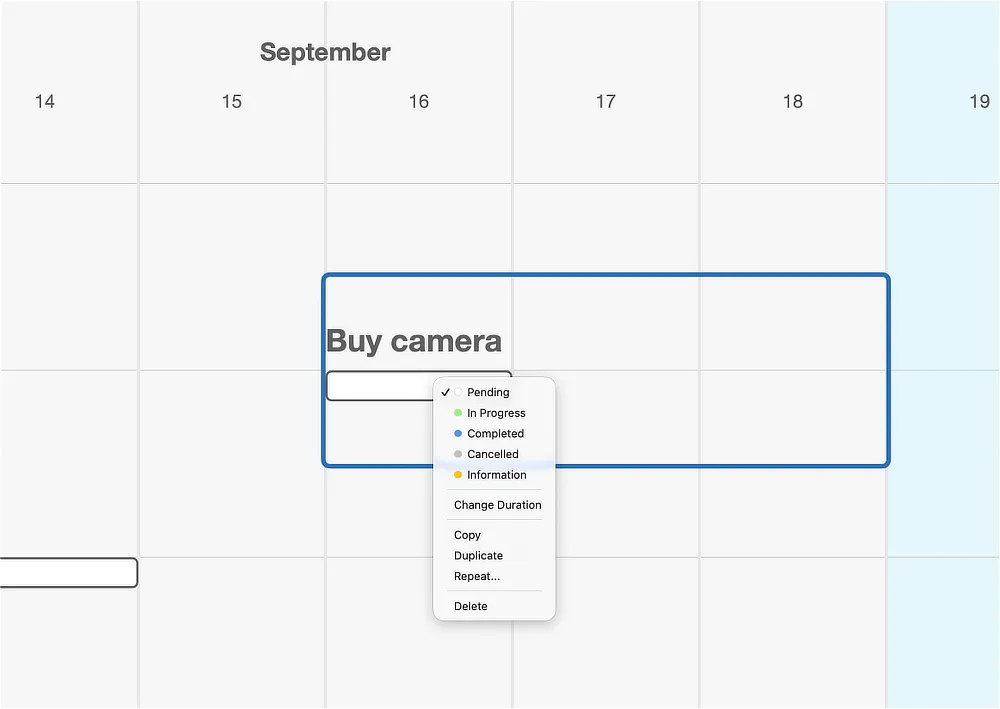
Change Duration, in both menus, is how an Action’s length is edited from the keyboard and mouse — the alternative to dragging its edges.
The ten-second habit
Section titled “The ten-second habit”Here’s the practice that makes Jupiter work, and it costs less time than reading this paragraph: once a day, glance at today on your map and mark what happened. Finished something? Completed. Started something? In Progress. Decided against something? Cancelled.
That’s the whole ritual. Its value compounds in both directions: forward, your map always tells you the truth about what’s next; backward, it becomes a record of what you actually did — which future you, planning the next goal, will read like gold.
Try it
Section titled “Try it”Your first plan from the last page is sitting there with every Action Pending. If you’ve already done any of it — you signed up, you bought the shoes — mark it now. Watch the bar fill. That small color change is the entire feedback loop of this app, and it’s yours to run from here.
Next: Where to Go Next →