Special Days
Your plan doesn’t happen in empty time. A week away, a conference trip, a family birthday: these days change what you can do, and your map should show them before you fill them with work.
A Special Day marks a date, or a run of dates, with a name and a type. The whole column takes the type’s color, top to bottom, across every Dimension.
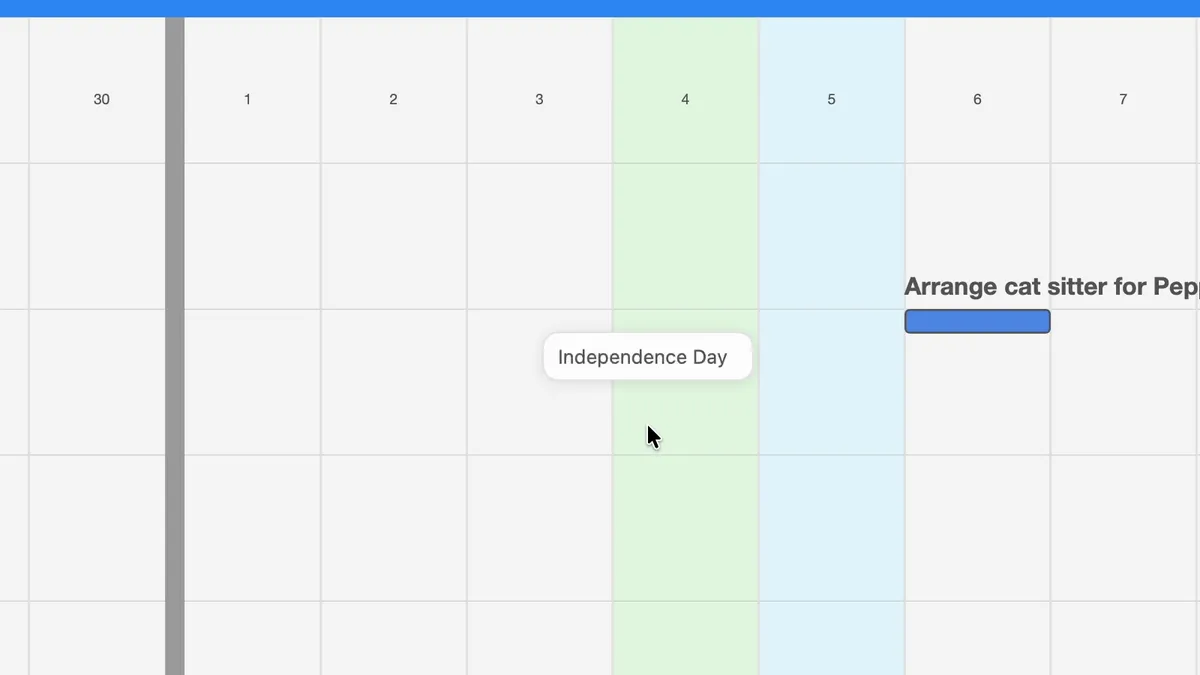
Reading the calendar colors
Section titled “Reading the calendar colors”The day columns carry three kinds of color:
- Weekends are light blue.
- Holidays are light green.
- Special Days take the color of their type.
To see what a colored day is, hold the pointer over it for a moment. A small popover shows its name.
Adding a Special Day
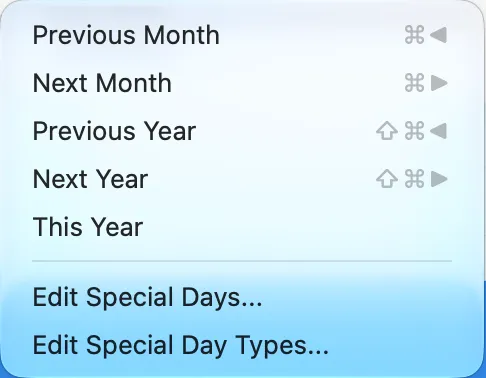
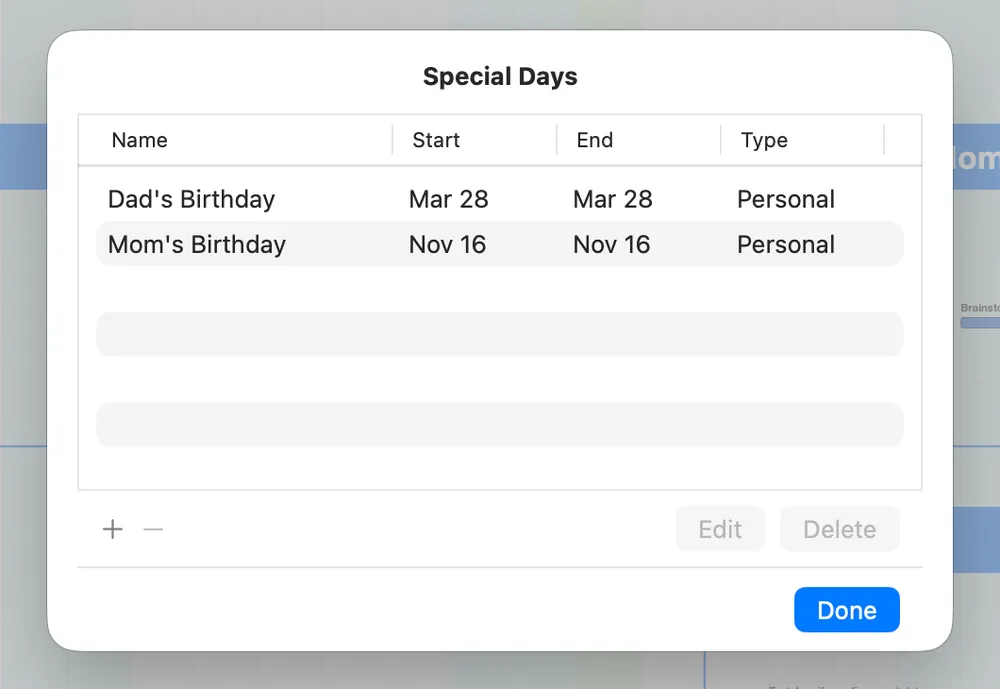
Section titled “Adding a Special Day”Special Days live in the Calendar menu. Choose Calendar ▸ Edit Special Days… to see the list of all your Special Days.
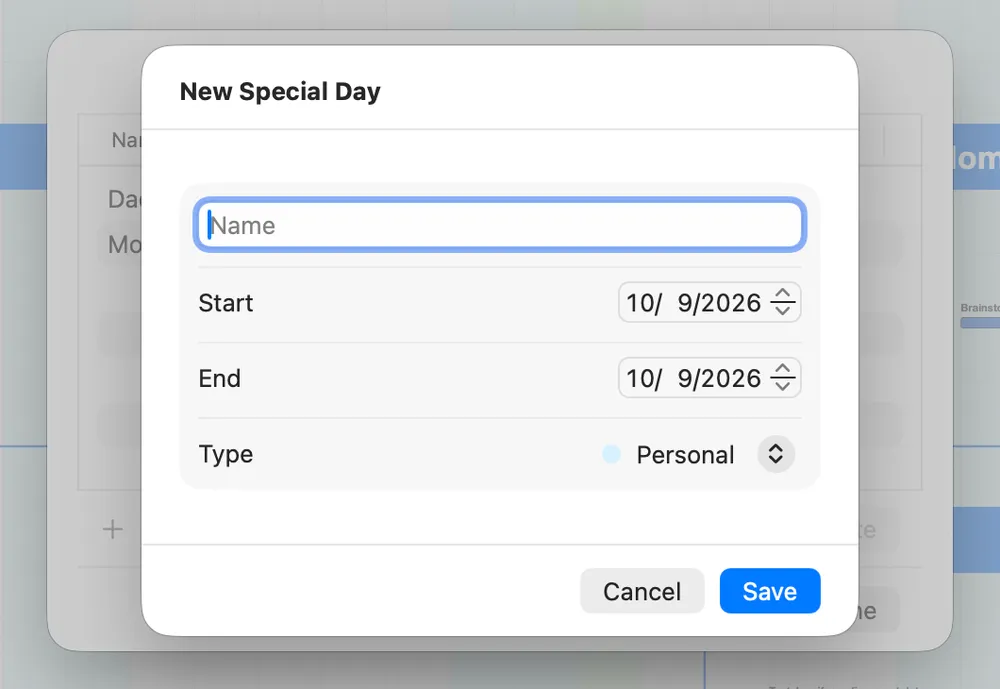
Click + to add one. Give it a name, set the start and end dates (both start on today), pick a type, and click Save. The days take the type’s color right away.
Editing and removing
Section titled “Editing and removing”In the same list, select a Special Day and click Edit to change it, or Delete to remove it. Click Done when you’re finished.
Types and colors
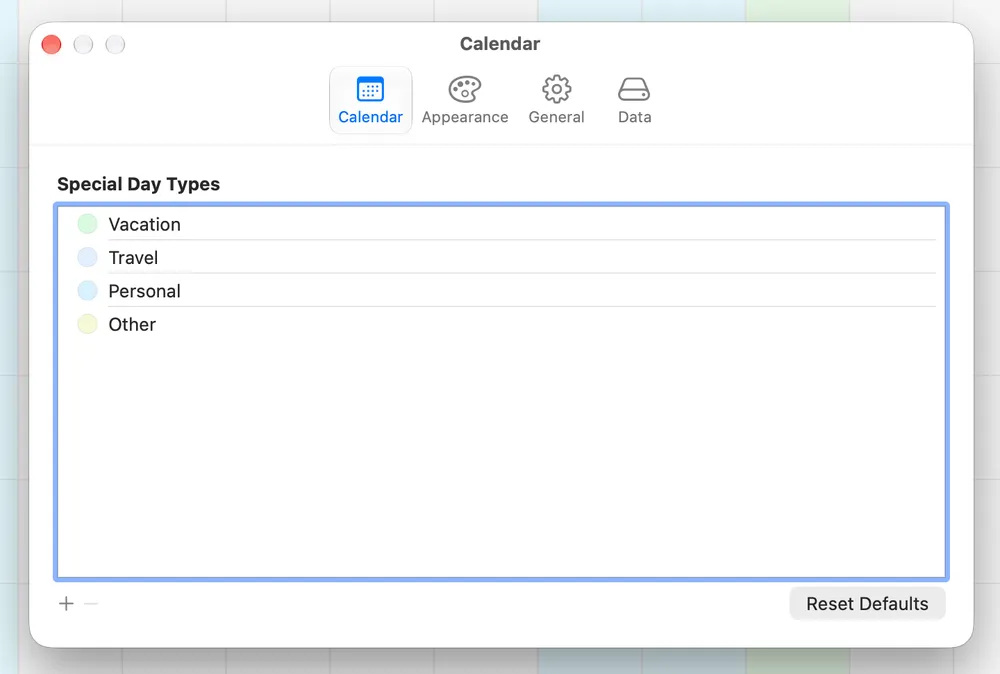
Section titled “Types and colors”Every Special Day has a type, and the type sets its color. Jupiter starts you with four: Vacation, Travel, Personal, and Other. Change a type’s color and every Special Day of that type changes with it.
You can manage types in two places: Calendar ▸ Edit Special Day Types…, or the Calendar tab in Settings. Use + and − to add or remove a type, and Reset Defaults to go back to the original four.
Holidays
Section titled “Holidays”Jupiter marks 15 common US holidays, from New Year’s Day to New Year’s Eve. They’re built in, so there’s nothing to set up, and they can’t be edited or turned off.
Try it
Section titled “Try it”Mark the next real break on your calendar: a trip, a long weekend, a week off. Then zoom out and look at the weeks on either side of it. Is anything due the day you get back? That’s the kind of collision Special Days are there to show you early.